
 You know by now that I am a firm believer of quality over quantity when it comes down to link building.
Link building directly to your main blog, that is.
However, today I’d like to introduce you to a different kind of link building: namely, building low-quality links to your other online properties that link back to your main site.
All using RSS feeds.
Using RSS Feeds for Link Building
You may or may not realize that your blog is not the only RSS feed you have.
Most of your social networks channels come with an RSS feed, like Facebook, Twitter, FriendFeed, etc.
Most article directories, like EzineArticles, create a feed for your profile and all your articles.
Social bookmarking sites.
Aweber, Ping.fm, Squidoo - you name it, it most likely has an RSS feed. Just use your imagination and you’ll be swimming in feeds pretty quickly.
Of course, you need to remember that I am talking about the feeds to YOUR profiles and content within those sites and not generic site feeds.
What’s the point?
Every time you create a profile on ANY website and submit your content to it in whatever form, you basically post your links within your content to that site, whether it’s social media, bookmarking, or articles.
Follow me so far?
So now you have a bunch of continuously updated content with your links included on all these different sites that give you an option to create an RSS feed for your content.
Now, what if you take those RSS feeds and submit them to different RSS directories?
So every time you update any one of your social media profiles, those RSS directories get notified of the change and create new links back to your profile, thus boosting their authority in Google’s eyes?
Since those web properties now have a bunch of links coming to them, it increases THEIR authority and now those higher-authority pages are linking BACK to your blog, thus carrying more link juice within them!
Wow!
You instantly increased the quality of links coming back to your site and the best part is most of it can be automated.
When I first learned about this link building technique, I was blown away.
Moreover, I have a way of doing all of this with minimal time investment on your part - how great is that?
The gist of this strategy lies in creating a master list of all the RSS feeds pointing to all your content online, converting all those feeds into one, and then submitting that one feed to RSS directories.
Step 1: Gather All Your RSS Feeds
Almost every profile you have out there comes with an RSS feed. The tricky part is to find them all, but once you know what you are looking for, it’s not that difficult.
Let me give you a couple of examples of what to look for.
Your Twitter profile:
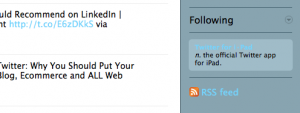
The easiest way to find RSS feed for your Twitter profile is in the old version of Twitter. I am sure some of you can tell me how to find it in the new version as well, but so far I haven’t had success.
So first you need to switch to the old version:

Then scroll down until you see RSS feed icon in the right sidebar:
EzineArticles.com
All I did here is entered my name into the site search box and followed the link to my expert bio.

Important:
Every site has tons of RSS feeds, so you need to make sure you get RSS feeds for YOUR PROFILES!
For instance, this is the feed I am looking for: http://feeds.ezinearticles.com/expert/Ana_Hoffman.xml
NOT something like this: http://feeds.ezinearticles.com/category/Internet-and-Businesses-Online:Internet-Marketing.xml.
Step 2. How to Create RSS Feeds
Granted, ALMOST every site doesn’t mean ALL sites - so what do you do when you don’t see an automatically generated RSS feed?
Don’t you worry though, I’ve got a solution for that.
You can create an RSS feed for any website or even website page you wish. Why would you want to do that?
Do you have any static websites that don’t come with RSS feeds, but you update fairly consistently? Do you have pages that you add new products to all the time?
So now you can instantly create RSS feeds for any and all of those web properties you own and start building links to them automatically.
You can create your own RSS feeds at this link:
http://www.webreference.com/cgi-bin/perl/makerss.pl
Remember to pay particular attention to titles and descriptions: make sure to include your main keywords for the search engines, but don’t forget to make them catchy to generate actual traffic through your RSS feed.
Now that you have your list of RSS feeds, you are ready to move on to the next step.
Step 3. How to Create Master RSS Feed
Now that you have a list of all your RSS feeds you could think of, submit them all to RSS directories… one by one.
Kidding!
That would take hours, and hours is what we never have.
To make this process simpler, we are going to create an RSS mashup - one master feed that will include ALL the feeds we have.
I like to use Yahoo! Pipes for that.
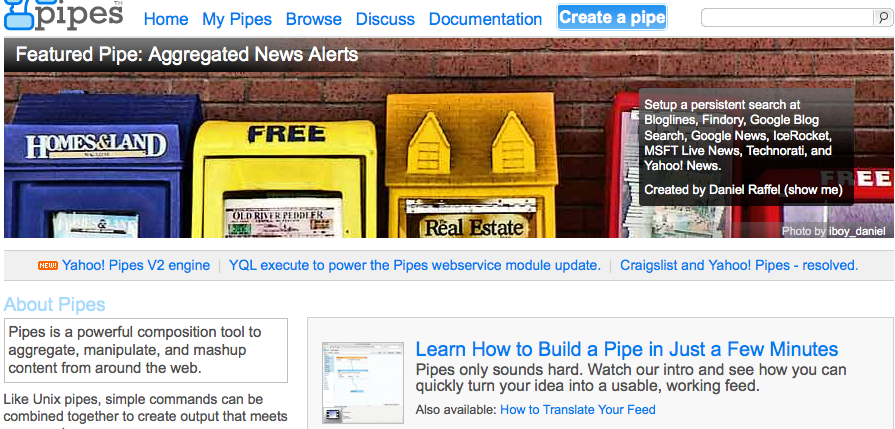
Actually, you can use Yahoo! Pipes for ALL the tasks I mentioned above, like automatically fetching your existing feeds (just enter the URL), creating new ones based on your URL, etc.
I won’t go into how to use this tool - it’s a post of its own; just make sure you go through their tutorial before you jump into it.
How to Submit Your Master RSS Feed the Easy Way
To make the task less daunting, here’s a free tool to help you: down-load a Firefox extension at www.submitemnow.com, which will allow you to submit your RSS feed to about 100 or so directories for free.
Of course, you need to be using Firefox browser for this to work.
Why this extension works:
- it’s free

- it’s easy to use - just add your RSS feed and a description to it
- it submits in half-automatic mode, thus preserving the quality of manual submission while still speeding up the process
If it sounds like a lot of work, it is… in the beginning. But remember, you only need to do this once and the process will repeat itself over and over and over again without you lifting a finger.
Plus, if you don’t have time or don’t want to do it yourself (I include myself in both categories), this is a perfect task to outsource for pennies.
Marketing Takeaway
So let’s sum it up.
- You make a list of all web properties you’d like to create more links to and find or create an RSS feed for each.
- You create a master RSS feed that includes all of them.
- You submit that feed to RSS directories using semi-automated software or outsource it altogether.
- Every time those web properties get updated, the RSS directories will automatically create links back to them.
- As you increase the authority of those properties by sending them a bunch of links, you will increase the authority of any sites they link back to - I suggest that being your main site/blog.
Now all you have to do is… well, do it.
Love it or hate it? Comment to show me that you’re alive!

Great stuff, Wayne! Thank you so much for sharing this valuable info with us.
Again, thanks for bringing it to my attention, Wayne.
I’ll keep looking as well, and would definitely appreciate it if you let me know if you find something worthy first.
Ana
Thanks for the heads up on Submit Em Now - time to update my ebook… again. Information gets old so quickly these days…
I don’t know of any such tool personally, but I asked my FB fans and Twitter followers - hopefully someone has used one in the past and can recommend something that works.
Meanwhile, I googled “free RSS submission tool” and found quite a few. I do understand that it’s always better to have a recommendation before diving into something like that.
Will let you know if I find a new one!
Ana
PS Nice to see someone actually implementing my recommendations for a change. Most readers do just that: read.
Thanks Ana, do you have video TUT for this? I am visual learner.
Erick Hagstrom
Hey Ana, did some research over at Ye Olde Twitter Help Center. Turns out that, for Firefox users at least, the RSS Feed for any Twitter page is right up there in the address bar (a.k.a. that white space where the site URL is, a.k.a. where it says twitter.com/#!/whoeveryouare). Just look for the Orange square with the whitish curves all the way over to the right in the address bar. When you mouse over it says “Subscribe to this page…”. Click it and you’ll be taken to the feed page. You want the address (URL) of that page.
I can’t believe it never occurred to me, Erick - such a simple solution!
It probably works for other feeds as well - just need to look for that orange box.
Scott Clendaniel
Hi Ana!
Have you found any secrets for being able to get RSS feeds, and the links inside them, indexed by Google? I love the concept of using RSS feeds for ranking, and have fiddled with it several times before. The trouble I’ve run into is that Google seems to ignore my RSS feeds- they don’t seem to index either the feeds themselves or the links inside them more than about 20% of the time. I have used the RSS directory submission route without much luck. What has your success rate been? Any suggestions? Thanks!!!
Good question, Scott.
I am actually doing some research on indexing right now and hopefully my post will be ready soon.
If there’s a solution to this, we’ll find it.
michealj
hi..aana
thank you so much for providing these seo knowledge with so much explaination….
whenever i read your blog i feel….i mean i have no word…
dear i have problem ….
i hav just join a company there is no seniior so i have to handle the entire seo work
…we have pharma site….anna pls guide me how to promote this pharma site….and what step do i need to follow……
u are the only one to share with this…guide me please
God Bless you…!!
Best advice I can give you is to download my free SEO guide, if you haven’t already.
Just opt in at any form you see on the blog.
Hi Ana,
Wow, this is mind-blowing stuff! I have heard of putting all RSS feeds in Yahoo! Pipes so I need to get cracking since I have a better understanding now.
Thanks for sharing these amazing tips as usual.
All the best,
Mavis
You’re welcome, Mavis. Go ahead and get cracking
I haven’t been using the power of RSS at all, I realize that now. I am only using the RSS feeds from my blog and Twitter and distributing them to my email list, to Facebook and LinkedIn.
I didn’t think that submitting to RSS directories was any helpful, well, until now
That’s great, Jens. At least now you can use its full potential.
Ana and Pete.
Okay, now this is on my list. I like out sourcing.
And I have to agree with the others Ana, you have done it again. Another great post with action steps we can take to improve our own sites.
Thanks
Thanks, Sheila, I’m glad you liked my post.
Andy Bradshaw
Great posting, I will certainly give this a go with my feeds.
Good suggestions, Lisa. Of course, we need more like a hundred or so to make this effective.
This sure is another gem of a tip from you. And thanks for the detailed instructions on how to go about it. You sure are awesome!
Hi Ana:
Again….wonderful tips. Now, can I create an RSS for specific categories as well?
You can actually do it in Yahoo Pipes!, Lisa - they will let you create an RSS feed for any page.
You can also use the tool I listed above; just use your category URL to create the new feed.
papa
Ana - another great, detailed post. Great to learn something new as well.
It was interesting to play with Yahoo Pipes as well. Now I just need to submit the combined feed and see where it takes me. It would be interesting to track the results somehow.
Thanks,
papalogic
You’re welcome, papa. Let me know about the results, okay?
Ingenious, Ana. I get the concept, though I don’t understand all the details. I think I can follow your instructions, so I’ll give it a go.
Thanks.
Wonderful, Steve! Keep me posted on your progress.
Shawn Mackey
Wow, I just bookmarked this page because, so far, it is the easiest way I have found to create and submit rss feeds. Also, I was totally in the dark about all of the feeds available from the various sites in which I have a profile!
I am getting on this right now.Gotta go find all my feeds!
Thanks for the great post!
You’re welcome, Shawn
Love it or hate? Hey Ana you don’t know how much help this is to me. I’m indeed grateful for the article.
Anytime, Chadrack. Thanks for stopping by.
Ryan
I don’t think pasting your same content all over different web properties is going to do much good. This is essentially the same as a scraper site taking the content and I don’t think the links are going to be worth much.
But that’s just my thought, Google also doesn’t like recip linking but that still works wonders for a lot of people!
I am a bit puzzled by your comment, Ryan.
You don’t submit any content to RSS directories. As I am sure you know, those directories simply get notified when you publish new content elsewhere and simply create a new link to the content - you content never gets republished.
As to your second part, what reciprocal linking are you talking about? You don’t ever link to RSS directories…
Hi Ana, I heard about Yahoo! Pipes just the other day in a post by Kristie Hines over on Stay On Search but I never bothered to follow up on it. I’m out of excuses now that you have taught me how to take advantage of it. RSS feeds are a gray area for many bloggers, so many thanks for the advice.
You are so very welcome, Ileane. I haven’t seen Kristi’s post yet; need to check it out.
What I love about this is that it’s fairly easy to do and needs to be done only once.